

.webp&w=3840&q=75)
If you have ever stared at a blank Google Slides presentation, wondering where to begin, or spent an hour formatting a Google Doc that should have taken ten minutes, you are not alone. Generating professional and attractive documents and presentations from the ground up is one of the most time-consuming aspects of today's professional life. But with Plus AI, that's changing in a way that's not to be ignored.
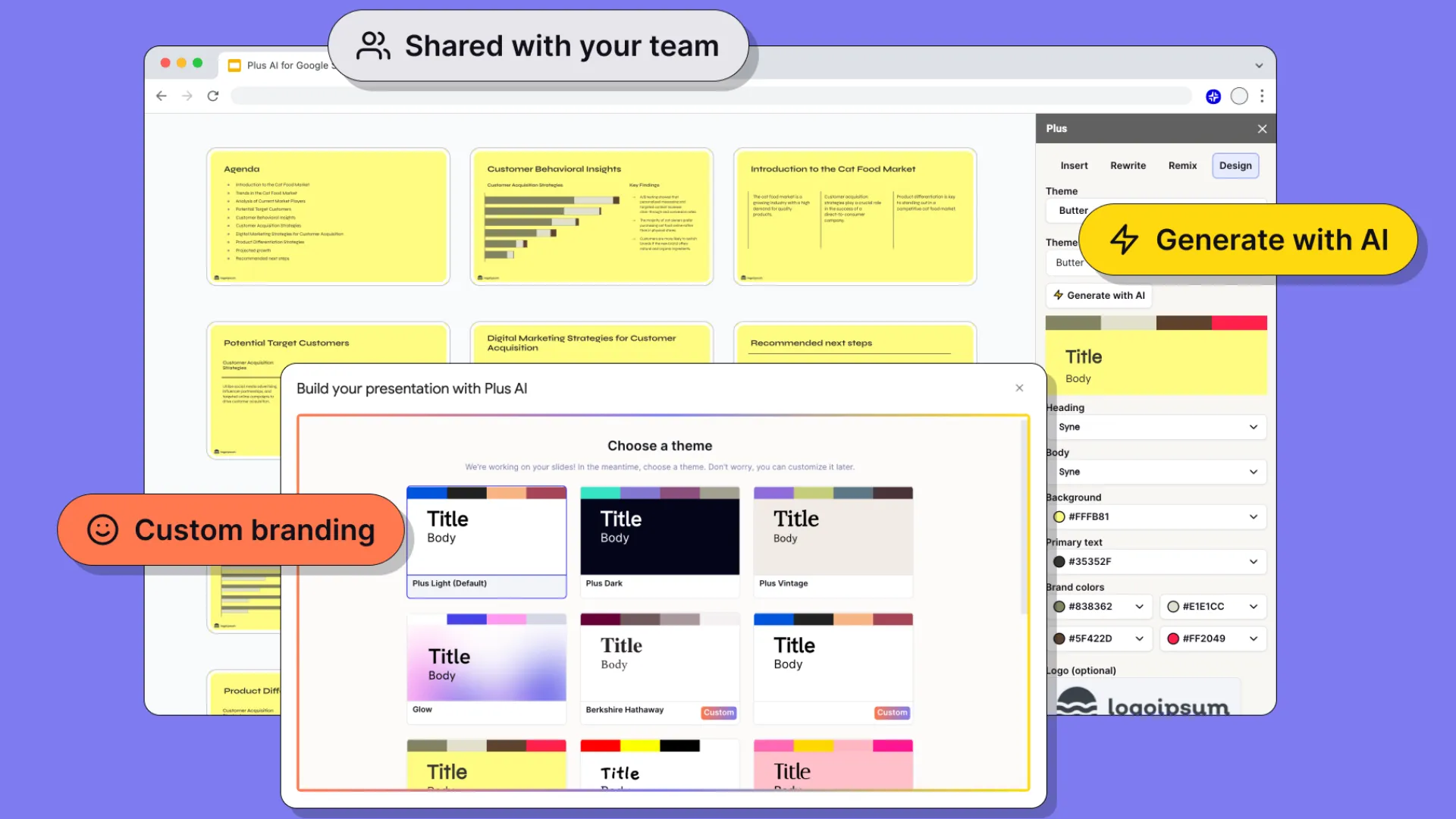
Plus AI is a Google Workspace add-on that can be used directly in Google Slides and Google Docs to create, modify, and restructure content with ease, using text prompts. You don't need to close your browser; you will not need to work with a new platform or export files from one tool to another. It's all within the Google applications that you already use every day. This is another big reason for its usefulness and ease of use.
What Plus AI Actually Does
The essence of Plus AI is to enable you to generate content swiftly and effortlessly. Google Slides lets you create a complete presentation, just from a small prompt. Enter your topic, choose a style or structure, and AI crafts a full deck, including titles, bodies, and a logical flow from introduction to conclusion. You can then edit single slides, regenerate any sections you aren't happy with, or have Plus AI regenerate specific text in another tone or length.
This is the same in Google Docs. It can help you write longer content, summarize a piece of content written before, rewrite paragraphs from a different perspective, convert bullet points to sections, and reorganize content that is unstructured. It resides in the document itself, in the sidebar, or as an in-line tool; it follows your instructions and adds content where you need it.
The main difference between Plus AI and just taking the output from a generic chatbot is that Plus AI is developed particularly for presentation and document creation workflows. It is aware of the structure of the slides; is familiar with the basics of balancing text across a slide; and can format the output to be easily used, not requiring a lot of cleanup.
To create a presentation from scratch
The use case most popular among Plus AI is creating presentations from a prompt. This is especially useful for people who have to build decks regularly, whether for a client presentation, in-house updates, training, or conference presentations.
It all begins with a brief text description of the desired services. You could enter, for instance, "make 10 slides of quarterly sales results for a retail store," and AI will provide you with a template that includes an introduction slide, an outline, content slides that are ready for data to be pasted into, and a final summary slide. Headings and body text are provided for each slide, which you can use, edit, or delete.
The editing layer is what makes this really useful and not just impressive. Once the first generation is made, you are not bound by what is produced. Click on any of the slides and instruct Plus AI to rewrite the content in simpler words, make it more persuasive, shorten it to three bullet points, or change its tone from formal to conversational. The iterative refinement process will be the part of the work that will generate the most time savings.
A deeper understanding of how to work smarter in Google Docs
Plus AI offers a comparable array of options for document processing. It simplifies the process of moving from a blank page to a completed first draft in a business proposal, project brief, report, or any new team member's induction.
The expand outlines feature is one of the most useful in the document arena. Some writers and professionals prefer to consider the ideas in bullet points in order to build the structure before developing sentences and paragraphs. Using Plus AI, you can create a skeleton of your document, and then request it to fill each section with prose. The result is a working draft which you can then edit and refine, instead of having to write everything from scratch.
The summarisation feature is also very useful. For reports that are long or research papers that are dense, you can use Plus AI to quickly and accurately compress them into an executive summary or brief, which will keep the essential details without losing the detail.
Create and utilize templates, and ensure consistency across teams
It can be difficult to achieve consistency when you're dealing with a team that generates lots of documents and presentations. People get used to different formatting styles, and it's a constant effort to keep the external and internal documents looking the same and consistent. Plus, AI copes with this with template and theme functionality.
Team members can create their own preferred styles and layouts in the tool, so that all presentations created by team members begin with the same design base. This is especially beneficial for sales teams, marketing departments, and consulting companies, where it is essential for consistency of brand across all client-facing materials.
The structure is baked into the generation process rather than having to be hardcoded into people's memory as to which font, color scheme, and layout to use. The end product: a more uniform product, and a lot less management for those responsible for brand standards!
Conclusion
The bottom line is that Plus AI saves time and doesn't compromise on quality. If you're someone who frequently produces presentations or documents with Google Workspace, it's a simple choice to add this to your workflow. You continue to use all of the apps you're already using, but you work faster and more consistently, and not as much staring at blank pages.
For more details you can visit the official website of Plus AI.